
What It Is
Teams map the structure of your organization in PANTA OS. They control who sees which assistants, apps, and skills, and provide the foundation for budgets and analytics. Team management takes place in the Admin Panel in the Teams tab. Teams can be managed by Administrators and Team Leads. For Team Leads, the Teams tab is the only visible area of the Admin Panel.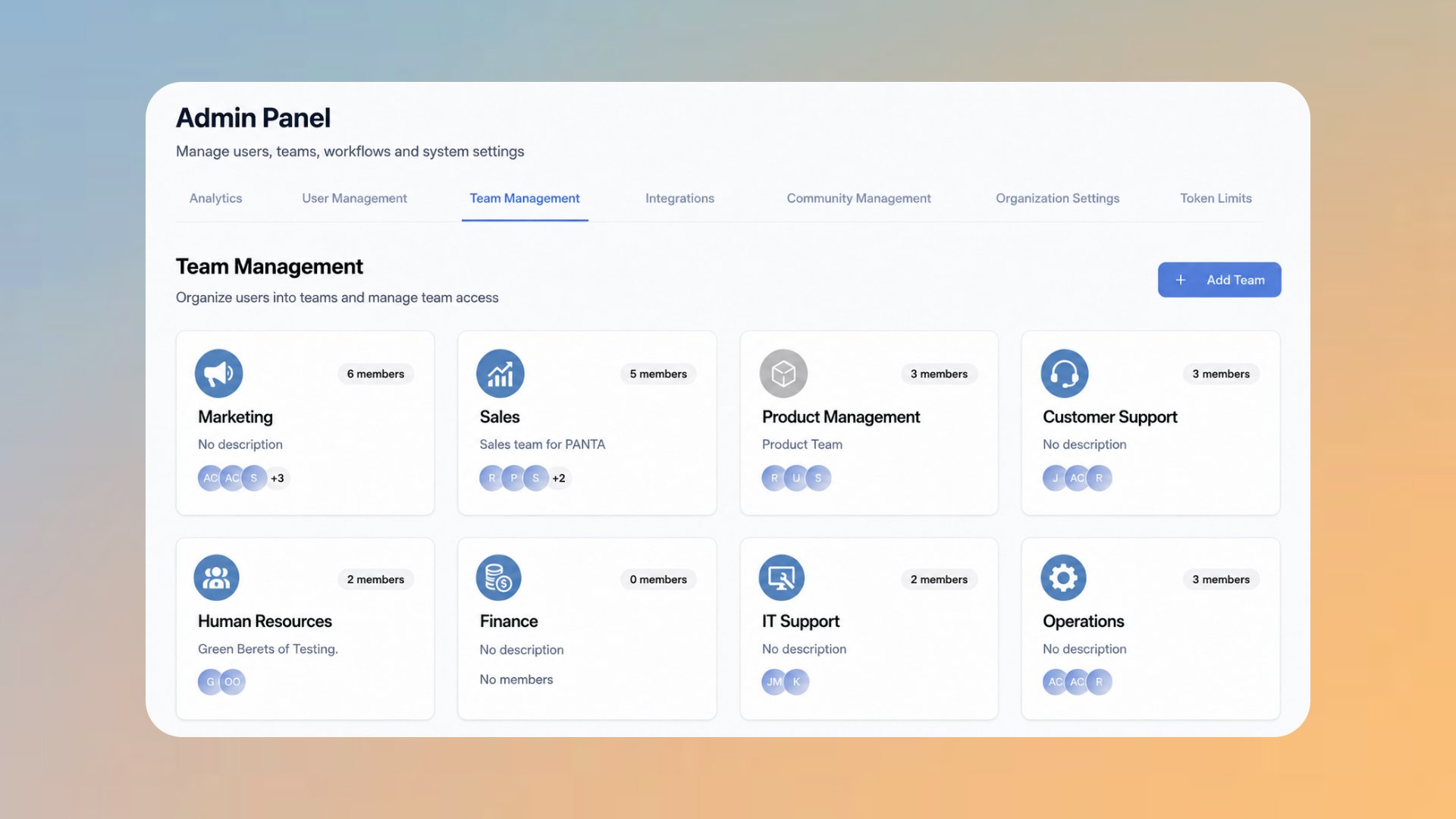
The Teams Tab
Organization-Wide
The top row shows which assistants, apps, and skills are available organization wide. These settings apply to all users in the organization.
Team cards
Below it, every team appears as a card with name, description, member count, and member avatars. Clicking a card opens team management.
Add a team
Add Team creates a new team with a name, description, and optional team image.
Edit a team
In the team view, members are added or removed and the content assigned to the team is maintained.
Assigning Assistants, Apps, and Skills
Content can be made available on two levels:- Organization wide: The content is visible to all users, regardless of team membership.
- Per team: The content is assigned to one or more teams. Only members of those teams see it in their dashboard.
Public assistants are assigned to specific teams here in Team Management. A private assistant stays with its creator and does not appear in team management.
Why Teams Matter
Relevance instead of clutter
Users see only their team’s content plus the organization wide set. The dashboard stays focused.
Distributed responsibility
Team Leads maintain teams and members themselves. Administrators do not have to handle every change.
Budgets and analytics
Token budgets and usage analytics build on teams. A clean team structure makes costs per department visible.
Flexible membership
A user can belong to several teams and receives the content of all of them.
Tips and Best Practices
- Mirror the real structure of the organization, but no finer than necessary. A few clear teams beat many micro teams.
- Assign the shared essentials organization wide and keep team assignments for specialized tools.
- Appoint one Team Lead per team so member maintenance and assignments do not pile up on Administrators.
- Maintain team descriptions. They help new members understand what a team is for.
Help Center
Who can create and edit teams
Who can create and edit teams
Administrators and Team Leads. Team Leads see only the Teams tab in the Admin Panel.
How does an assistant reach exactly one team
How does an assistant reach exactly one team
Set the assistant to Public and assign it to the desired team in the team view. Members of other teams will then not see it in their dashboard.
What does the Organization-Wide row mean
What does the Organization-Wide row mean
It summarizes how many assistants, apps, and skills are available to all users of the organization, and opens the organization wide assignment.
Can a user belong to several teams
Can a user belong to several teams
Yes. The user then sees the content of all teams they belong to, in addition to the organization wide set.